

Hours, holidays and closed days
Who can do this: Owners and Office Managers.
Your hours decide when the AI receptionist and online booking offer appointments. Closures are the days you’re shut even though you’re normally open, such as holidays, staff training or a snow day.
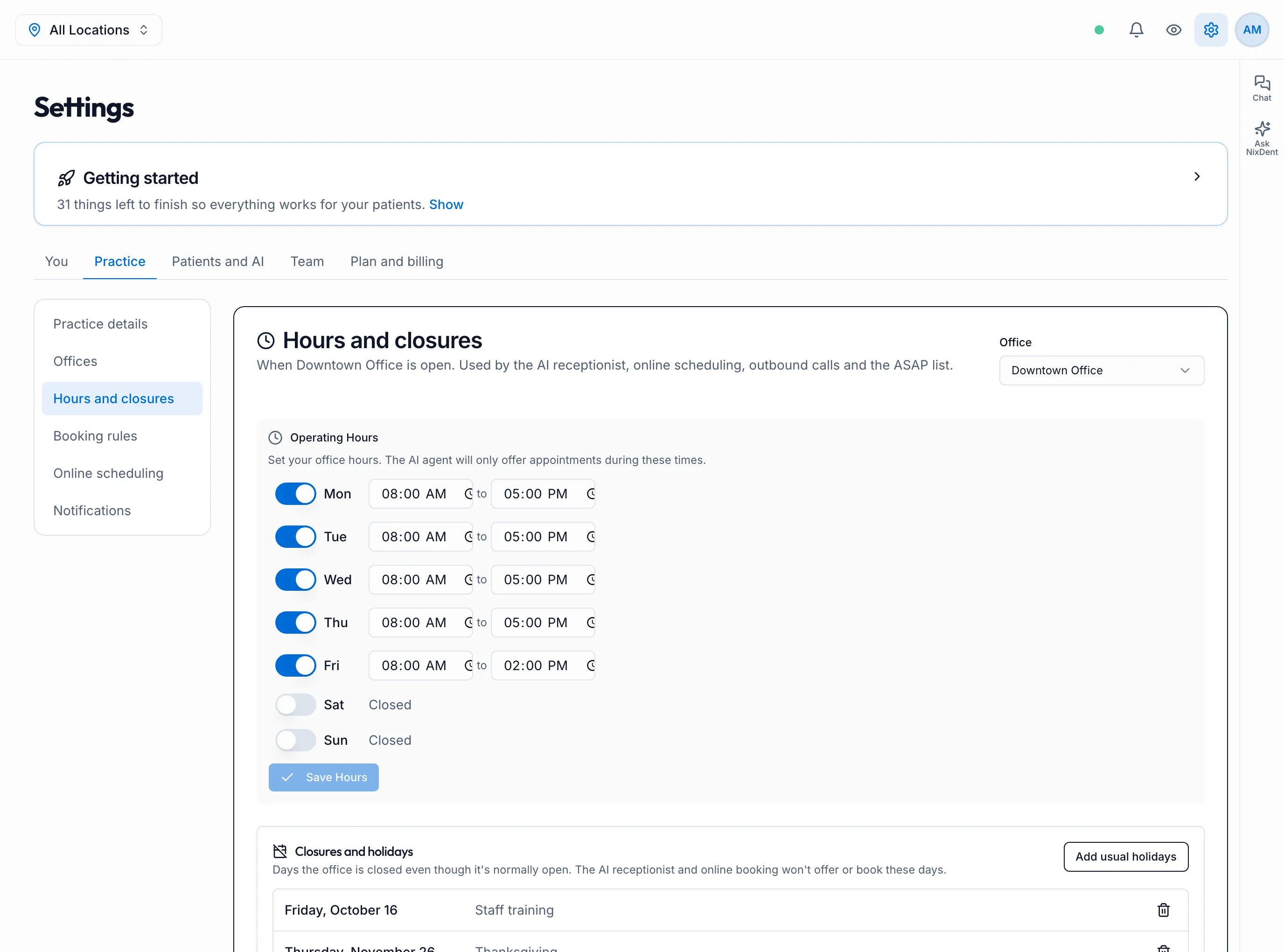
Go to Settings → Practice → Hours and closures. If you have more than one office, pick the office at the top right. Times follow the Office Timezone in Offices. A new office starts on Pacific Time, so check yours is right.
Set your weekly hours
Section titled “Set your weekly hours”- Turn each day on or off with its switch. A day that’s off shows Closed.
- For open days, set the opening and closing time.
- Click Save Hours.
Add holidays and closed days
Section titled “Add holidays and closed days”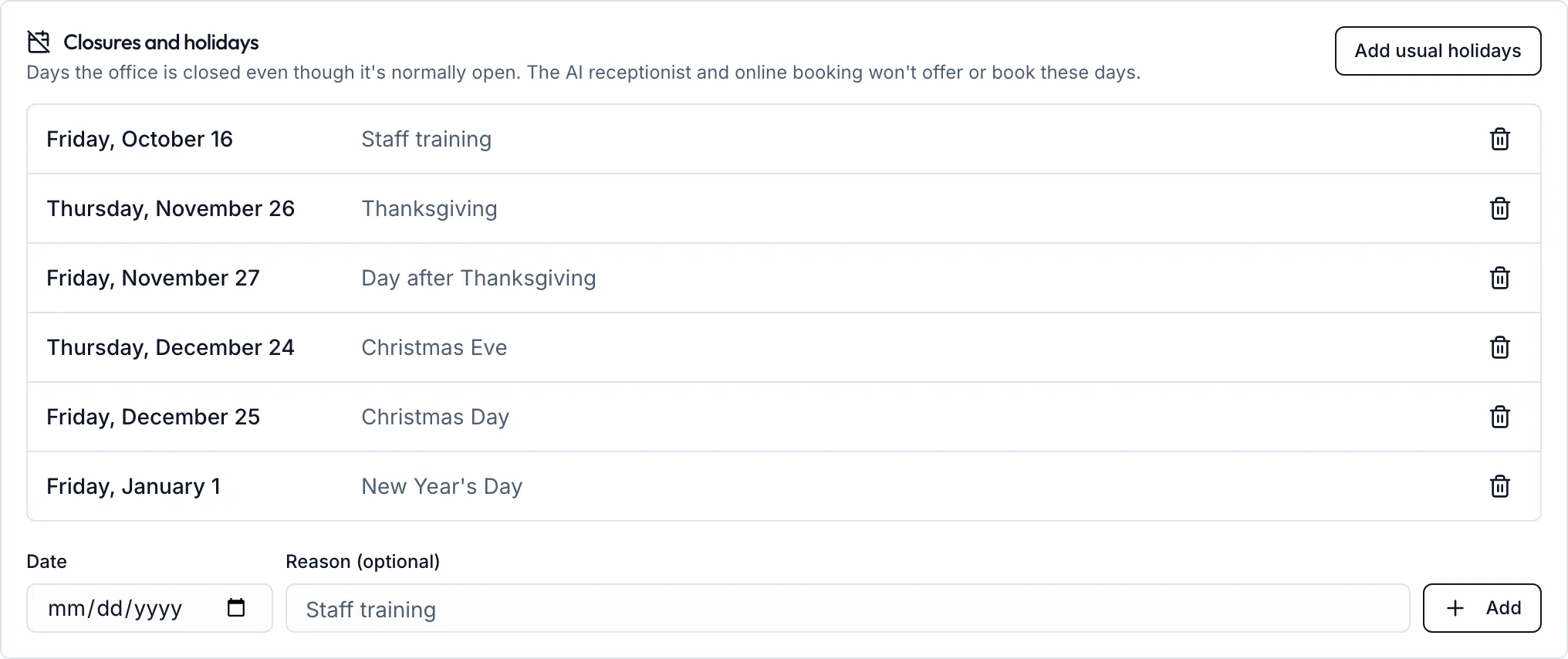
- Add usual holidays fills in the next 12 months of US holidays: New Year’s Day, Memorial Day, Independence Day, Labor Day, Thanksgiving and Christmas Day. Remove any you stay open for with the trash icon.
- Add usual holidays adds the next 12 months. You still need to click Save closures.
- To add one day, pick the Date, type a Reason (optional), up to 60 characters (for example “Staff training”), and click Add.
- Click Save closures when you’re done. Nothing changes until you save.
After saving:
- The AI receptionist, online booking, outbound calls, the ASAP list and booking from the patient card stop offering those days. The AI also won’t book them if a caller asks directly.
- The AI can tell callers why: “We’re closed on the 26th for Thanksgiving.”
- If you use NixDent Phone, your closed days here also make calls route as closed on those days.
Past closures stay in the list until you save. The page says how many will be cleared on the next save.
What the AI says about your hours
Section titled “What the AI says about your hours”The AI only mentions your hours when a caller asks. It treats the hours on this page as the only regular hours. If you type different hours into the AI’s free-text notes, the AI is told to ignore them, and the page shows a yellow warning.
The AI still answers calls on closed days and after hours. It won’t offer times then, and it can tell the caller you’re closed.
Common problems
Section titled “Common problems”The AI offered a day we’re closed. Check two things: the day is switched off in the weekly hours, or it’s in the closures list, and you clicked Save Hours or Save closures.