

What your patient sees in their visit summary
After you send an After Visit Summary, the patient gets an email with a link. This page explains what they see. To write and send the summary, see Send an After Visit Summary.
Who can do this: Anyone can read this page. Sending is for Doctors, Hygienists, Back Office, Office Managers and Owners.
What the patient does
Section titled “What the patient does”- They get an email with the subject Your Visit Summary from {office}.
- They tap the link and enter their date of birth (or last name, if NixDent has no date of birth on file). If they get it wrong too many times, the link locks for a short while. After a period with no activity the page asks again.
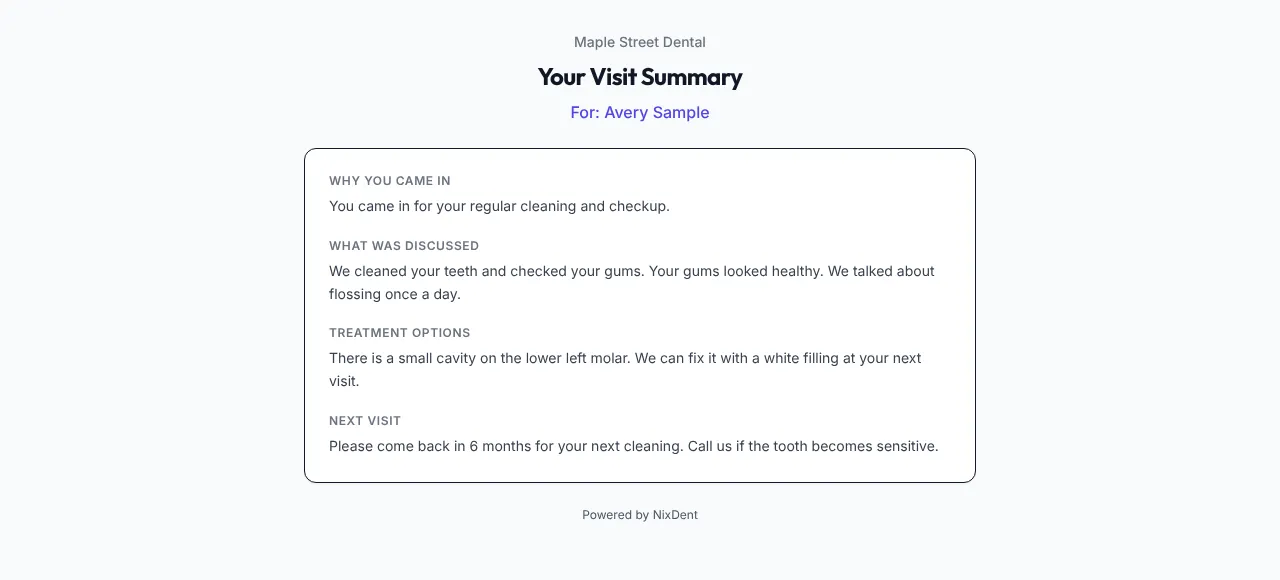
- The page Your Visit Summary opens with your logo, “For: {patient name}”, and four sections:
- Why you came in
- What was discussed
- Treatment options
- Next visit
If the link is wrong, the page says Link Not Found.
Things to know
Section titled “Things to know”- A summary goes by email only. A patient with no email address on file can’t be sent one.
- Once sent, the summary can’t be edited.
- The page doesn’t have a reply box. Patients who have questions need to call or message the office.
- Make sure the patient has a date of birth in Open Dental before you send. NixDent uses it to confirm who is opening the summary.
Common problems
Section titled “Common problems”The patient didn’t get the email. Check their email address in Open Dental. Ask them to look in spam. If they still can’t find it, contact NixDent support.
The patient says the summary is for someone else. Don’t resend. Tell your office manager right away, because it may be a privacy matter.