

Pause, remove, or help someone sign in
Who can do this: Owners and Office Managers.
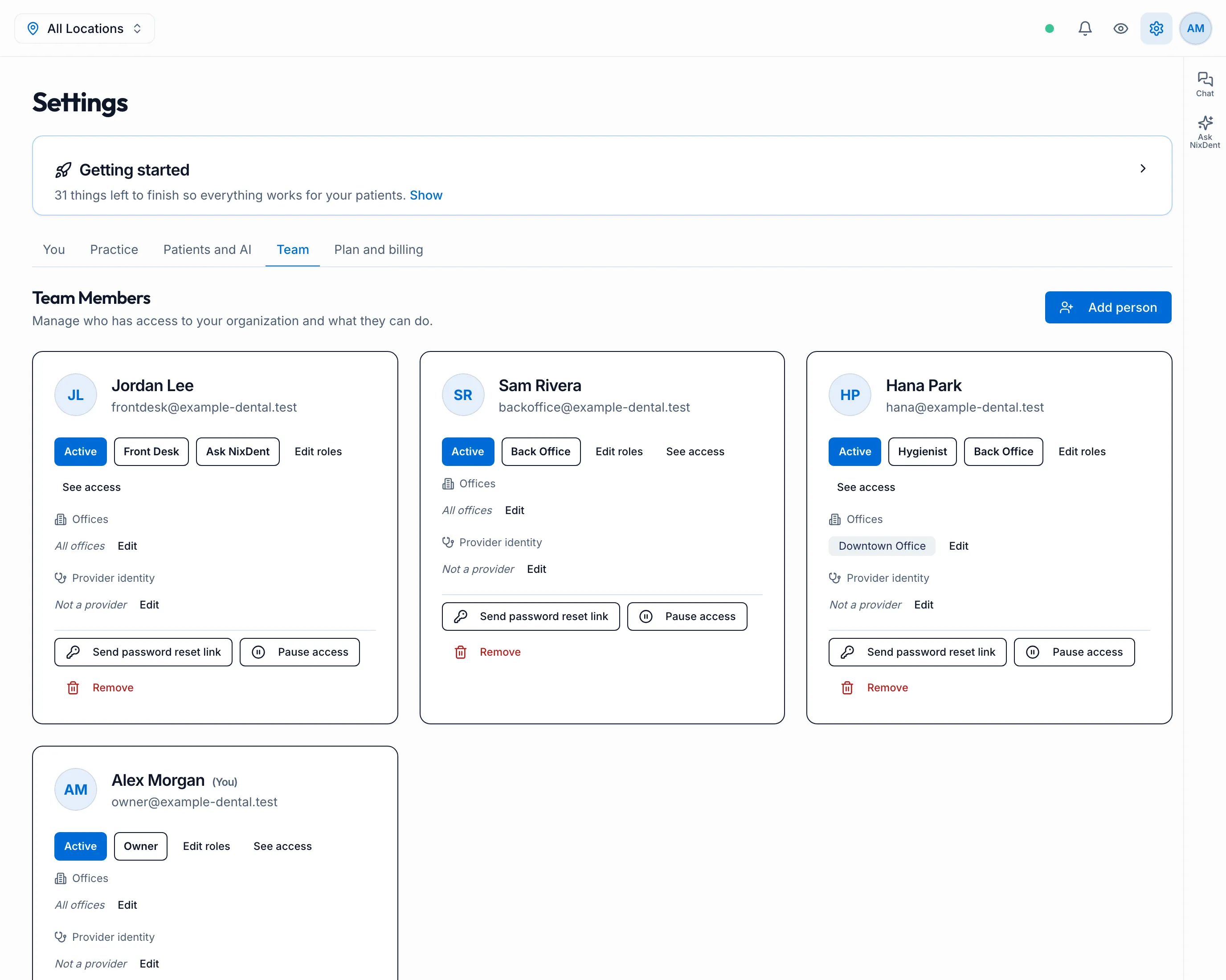
Each person’s card in Settings → Team has these buttons at the bottom.
Pause access
Section titled “Pause access”For someone on leave, or while you look into a problem. Pause access signs them out everywhere straight away and stops them signing in. Their roles and offices are kept, so Resume access puts everything back in one click.
You can’t pause:
- yourself;
- an Owner, unless you are an Owner;
- someone who also works at another practice on NixDent. Ask NixDent support instead.
Remove someone
Section titled “Remove someone”Remove takes them out of your practice. If this was their only practice, they’re signed out immediately.
- Only an Owner can remove an Owner.
- The last Owner can never be removed.
Forgotten password
Section titled “Forgotten password”Click Send password reset link. They get an email to choose a new password. You never see or set it.
Lost phone (two-factor)
Section titled “Lost phone (two-factor)”Click Reset two-factor. NixDent asks you to confirm it’s you first. The person is signed out, and sets up two-factor again with their new phone the next time they sign in.