

Settings at a glance
Click the gear at the top right to open Settings. Pick an area from the tabs across the top, then a page from the list on the left. On a phone, the list shows as a row of buttons above the page.
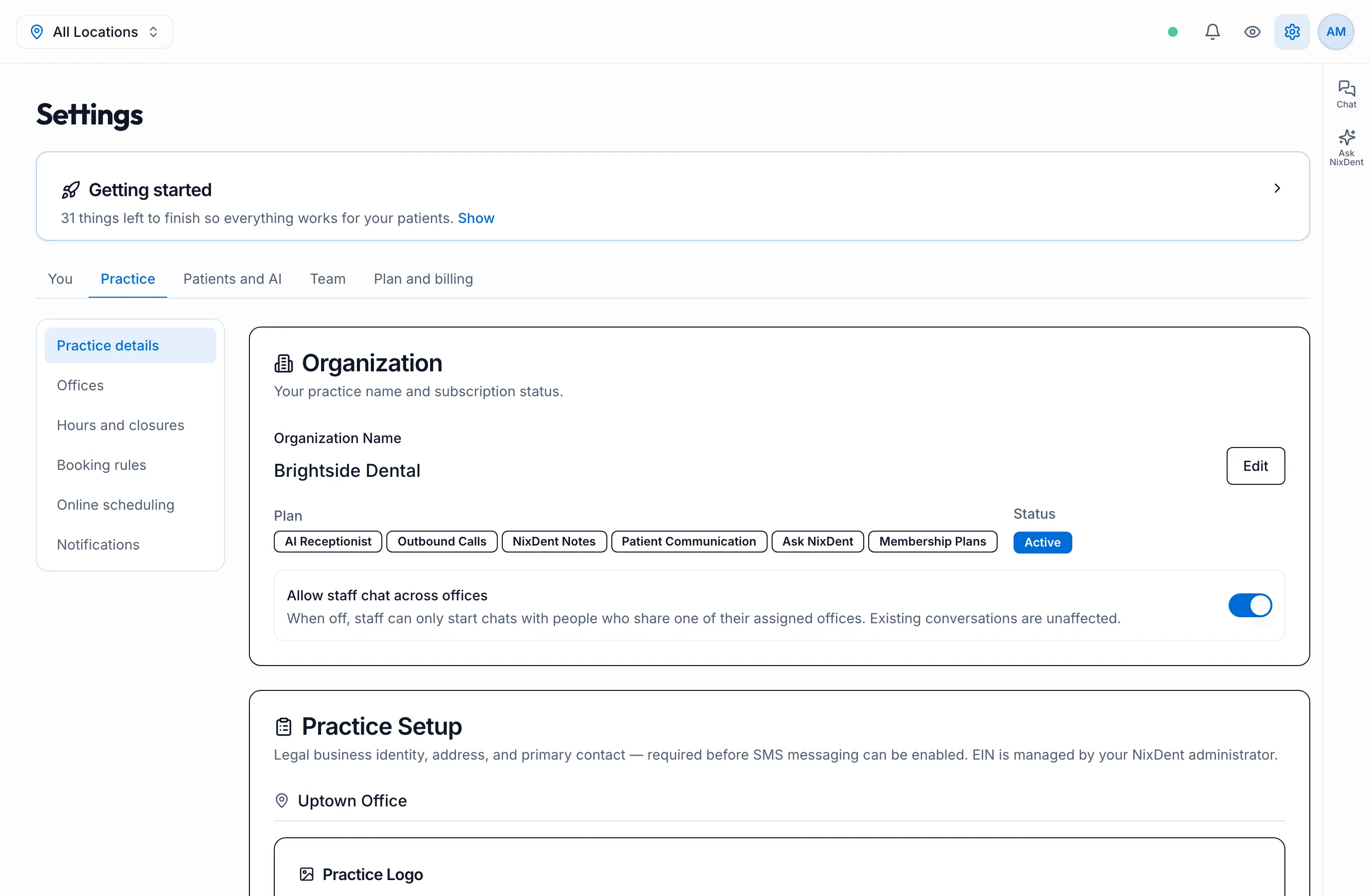
| Area | Pages | Who can change it |
|---|---|---|
| You | My profile · Sign-in and security | Everyone, for themselves |
| Practice | Practice details · Offices · Hours and closures · Booking rules · Online scheduling · Notifications | Owners and Office Managers |
| Patients and AI | AI receptionist · Forms · Automations | Owners and Office Managers |
| Team | Everyone who works at the practice | Owners and Office Managers |
| Plan and billing | Your NixDent plan and NixNotes seats | Owners |
Other people can open most pages to look, but can’t change anything.
One office at a time
Section titled “One office at a time”Pages that differ per office (hours, booking rules, notifications, the AI receptionist) have an Office picker at the top right. Check it before you change anything, so you’re editing the right office.
Things only NixDent can change
Section titled “Things only NixDent can change”Some settings show a lock, or say Set up by NixDent. Examples are the AI’s voice and phone numbers, and scheduling rules NixDent locked for an office. Use Request and tell us what you need.