

Give someone Ask NixDent
Ask NixDent answers questions about your practice in plain English. For example: “How did hygiene production compare to last month?” or “Who’s overdue for recall?”
Owners and Office Managers can use it already. You can switch it on for anyone else, such as a front desk lead, without giving them any other access.
Before you start
Section titled “Before you start”- Your plan needs Ask NixDent (Settings → Plan and billing).
- It must be switched on for the office: Settings → Practice → Offices, then the Ask NixDent switch.
Switch it on for a person
Section titled “Switch it on for a person”- Go to Settings → Team.
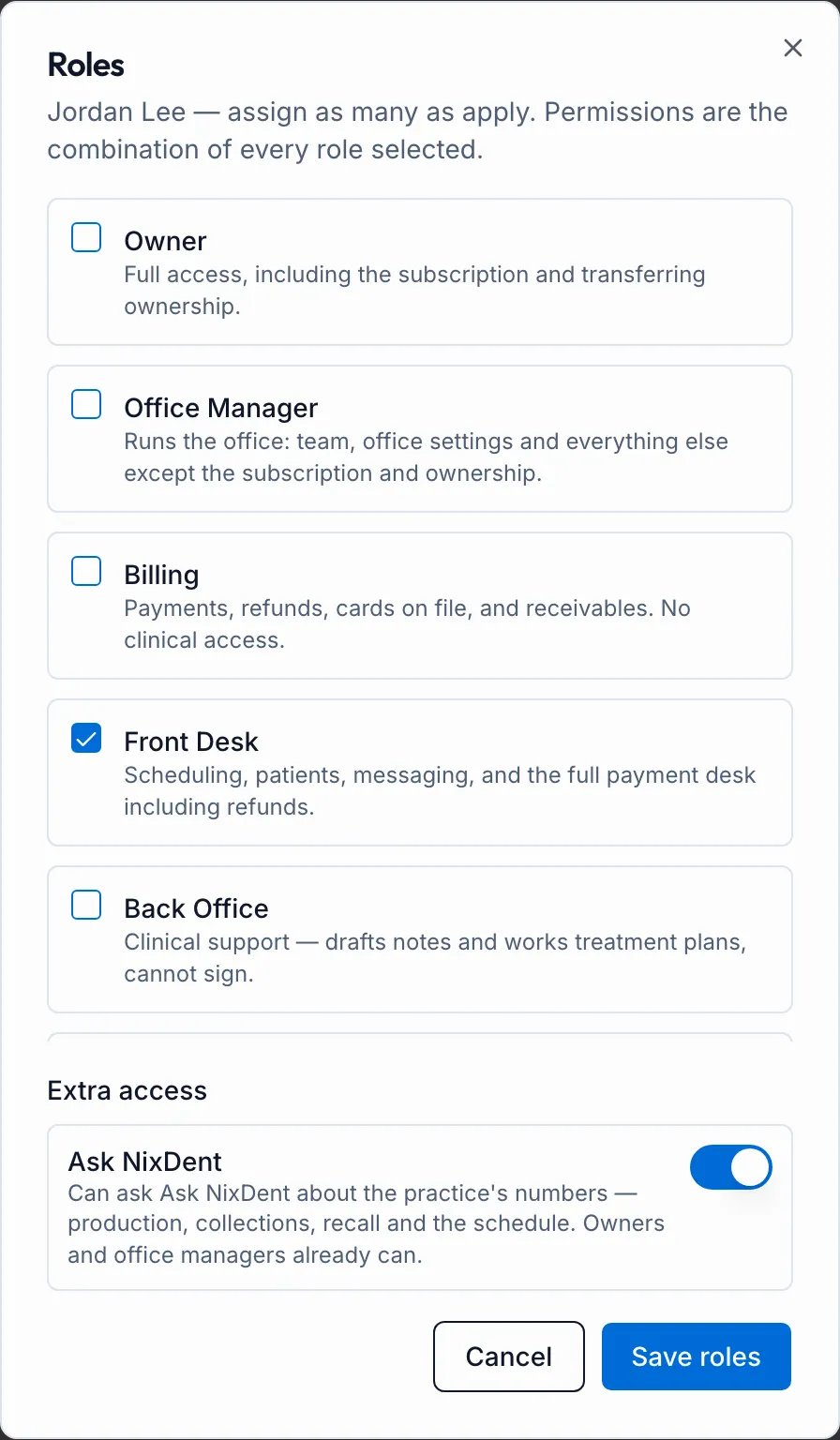
- On their card, click Edit roles.
- Under Extra access, turn on Ask NixDent.
- Click Save roles.
Their card now shows an Ask NixDent badge, and the Ask NixDent button appears for them on the right side of the screen.
Ask NixDent only reads your data. It can save a patient list for a campaign, but it never contacts anybody.