

Your plan and NixNotes seats
Who can do this: Owners.
Go to Settings → Plan and billing.
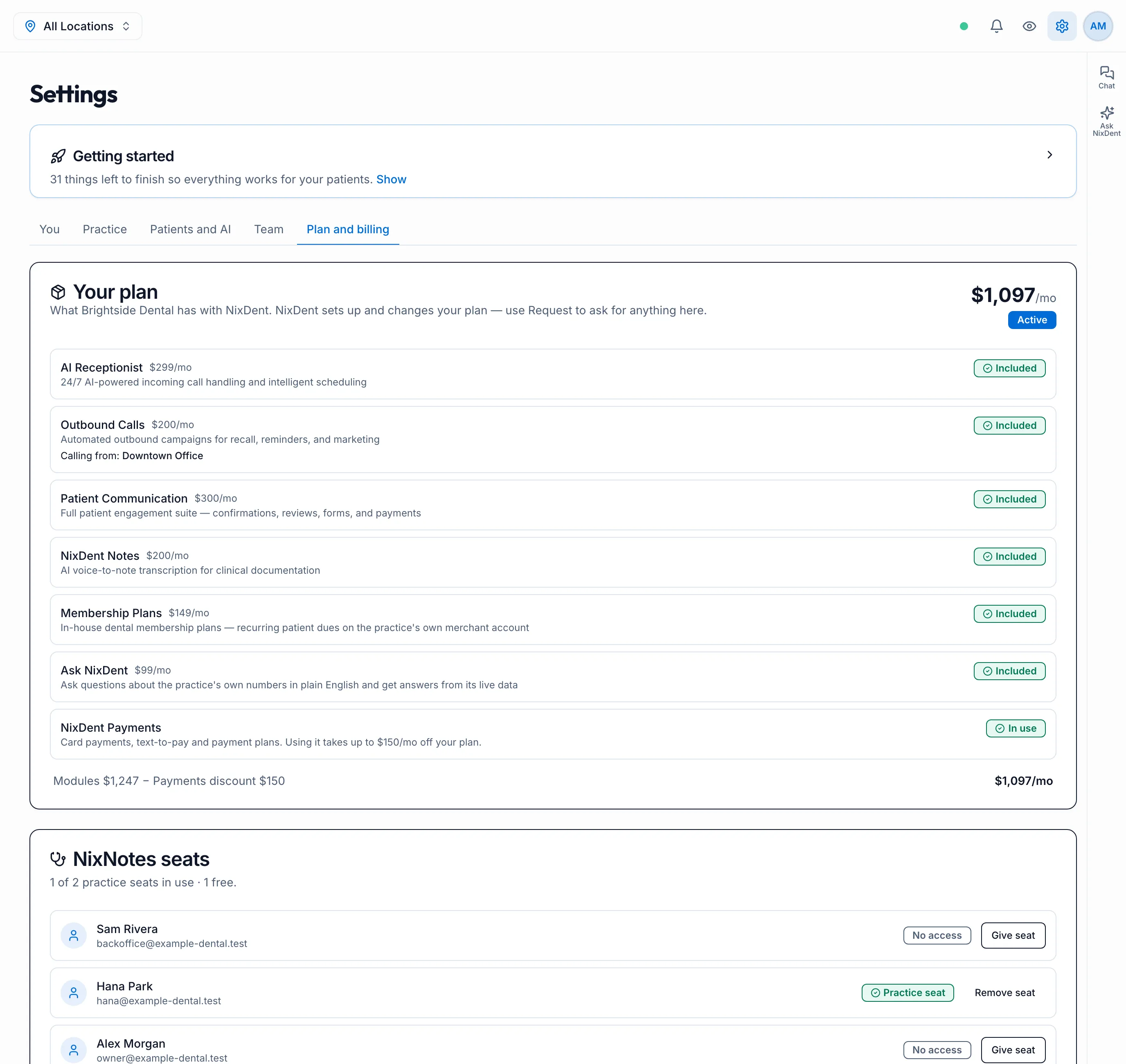
Your plan
Section titled “Your plan”Each NixDent product on your plan is listed with its monthly price and status:
- Included: it’s on your plan.
- In use or Not set up: for NixDent Payments. Using it takes up to $150/mo off your plan.
- Not on your plan: you can ask to add it.
The line at the bottom shows how the monthly total is worked out. NixDent sets up and changes your plan. To add or remove something, use Request.
NixNotes seats
Section titled “NixNotes seats”This lists everyone whose role lets them write clinical notes, and what covers them:
| Status | Meaning |
|---|---|
| Included | Notes come with your plan, no seat needed |
| Practice seat | Uses one of the practice’s paid seats |
| Own subscription | They pay for NixNotes themselves |
| Trial | On a free trial |
| No access | Can’t write notes yet |
If the practice has seats, the top line shows how many are in use. Click Give seat or Remove seat to move them. Need more seats? Use Request.