

Roles and what they allow
A person can have more than one role. What they’re allowed to do is everything any of their roles allows.
| Role | For | Can do |
|---|---|---|
| Owner | The practice owner | Everything, including the NixDent subscription and transferring ownership |
| Office Manager | Runs the office | Everything except the subscription and ownership: team, office settings, what the AI knows, payments, clinical records |
| Billing | Billing staff | Take payments, refunds and voids, cards on file, see patients. No clinical access |
| Front Desk | Reception | Scheduling and patients, text and email patients, present treatment plans, the full payment desk including refunds. No clinical access |
| Back Office | Assistants | Open clinical records, draft notes, present treatment plans. Can’t sign notes |
| Doctor | Dentists | Clinical records, write and sign notes, perio charting and diagnosis, treatment plans |
| Hygienist | Hygienists | Clinical records, write and sign notes, perio charting (not diagnosis) |
Ask NixDent is extra access you can switch on for anyone. It isn’t a job, so it’s added on top of a role. See Give someone Ask NixDent.
Change someone’s roles
Section titled “Change someone’s roles”Who can do this: Owners and Office Managers.
- Go to Settings → Team.
- On the person’s card, click Edit roles.
- Tick or untick roles, then click Save roles.
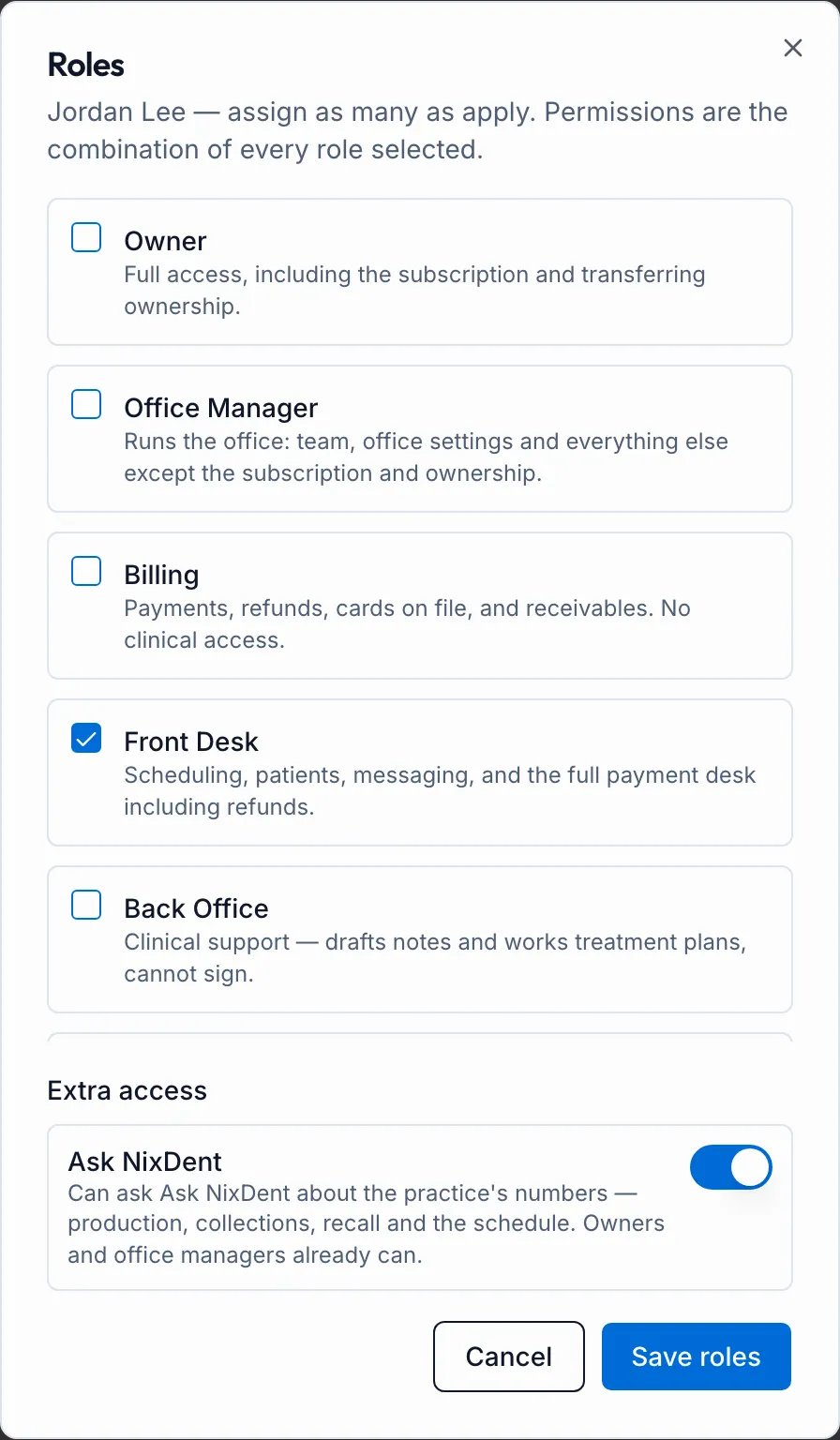
To see exactly what someone can and can’t do, click See access on their card.
Rules that keep things safe
Section titled “Rules that keep things safe”- You can’t change your own roles unless you’re an Owner. An Office Manager who needs a change asks the Owner.
- Everyone needs at least one job role. Ask NixDent alone isn’t enough.
- Only an Owner can make someone an Owner.