

How ASAP openings are found and offered
Who can do this: Anyone on your team can read the ASAP List. This page explains what happens behind the screen, so you can answer patient questions and fix problems.
You don’t have to press anything for an offer to go out. Once Text patients about openings is switched on (see Fill openings from the ASAP list), NixDent checks your schedule on its own and texts waiting patients when it finds a gap.
How NixDent finds an opening
Section titled “How NixDent finds an opening”- NixDent looks for openings about every 15 minutes.
- It looks at the next days of your schedule, as many as you set under Look ahead (days). The default is 7.
- It only looks in the rooms ticked in Booking rules. With no rooms ticked, it finds nothing.
- It skips days your office is closed, including closures you entered under Hours and closures.
- A gap must be at least 30 minutes to count.
- Each opening is offered as a 60-minute appointment, starting at the beginning of the gap. If the gap is longer, the rest stays free for your front desk.
- Openings that start sooner than How much notice patients need are skipped.
- To avoid a burst of texts, NixDent offers one opening per office per check, soonest first.
How NixDent picks who hears about it
Section titled “How NixDent picks who hears about it”- Only patients with Active status on the list are considered. Paused, removed, expired and filled entries are left out.
- The patient’s preferences must fit the opening: days that work, mornings or afternoons, and the Not before date. A blank preference means “anything works”.
- Anyone who was offered an opening within Days before contacting again and didn’t take it is skipped.
- Patients who have opted out of texts are never contacted.
- NixDent ranks the rest by how likely each patient is to say yes. If two patients tie, the one who has waited longest goes first.
- The top Patients told per opening (default 2) are contacted.
How the patient is contacted
Section titled “How the patient is contacted”The patient gets a text message saying an opening came up at your office, with the day, the time and a link. A patient with no mobile number, or who has opted out of texts, is skipped for that opening.
At the top of the ASAP settings window, a yellow box lists anything that is stopping offers from working, such as no texting number.
What happens when the patient taps the link
Section titled “What happens when the patient taps the link”The link opens a plain page with your office name and the time, and a button Yes, book it for me. It shows no patient name or other personal details.
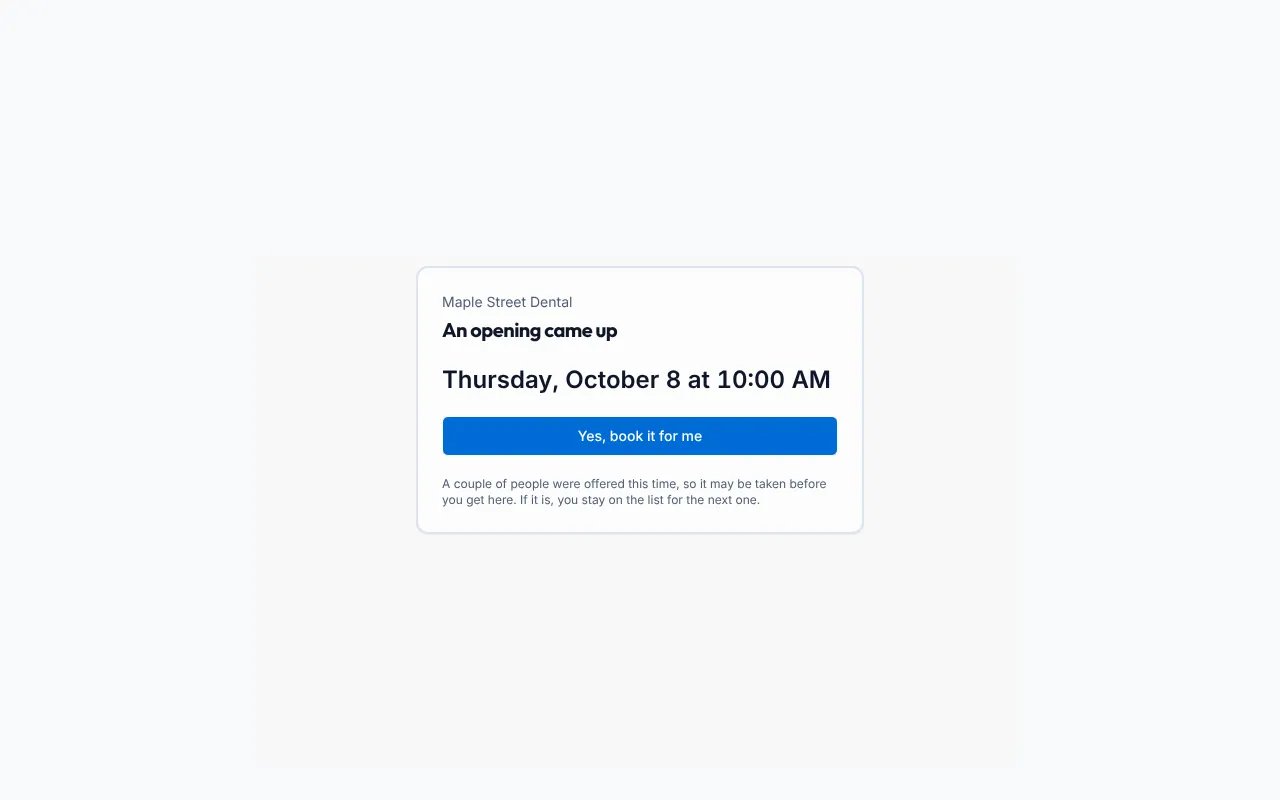
| What the patient sees | What it means |
|---|---|
| An opening came up and the button | The opening is still free. |
| Booked | The appointment was sent to Open Dental. |
| This one’s gone | Another patient claimed it first. They stay on the list. |
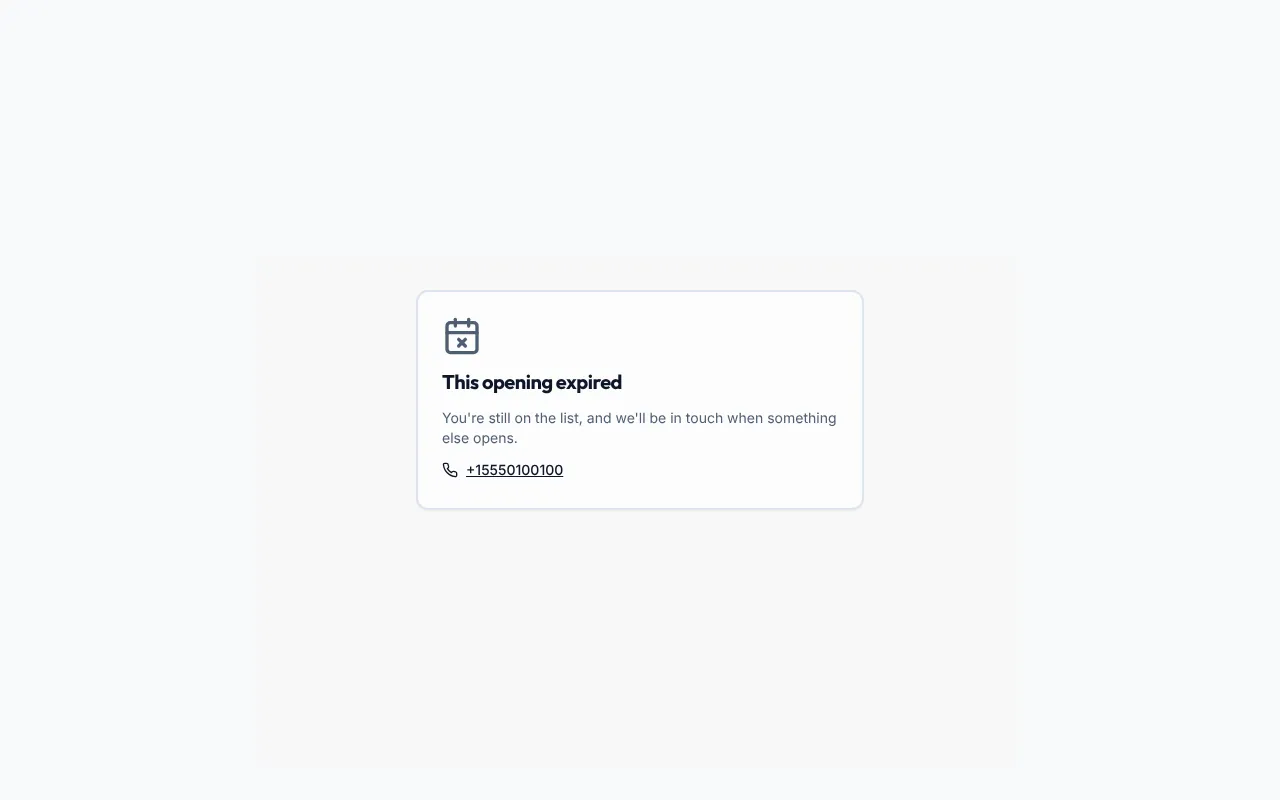
| This opening expired | The link ran past Link valid for (hours). They stay on the list. |
| You already have this one | They already claimed it. |
| This link isn’t valid | The link was already used or is mistyped. Ask them to call. |
| Not booked, with your office phone number | The booking couldn’t be completed. Nothing was booked. |
If the link has run past Link valid for (hours), the patient sees this instead:
When a patient claims an opening:
- NixDent books it in Open Dental in one of the rooms you allowed.
- When the opening came from a cancellation, the appointment is booked with the provider of the cancelled appointment. Otherwise it is booked with the first provider ticked in Booking rules. Tick at least one provider.
- The appointment note in Open Dental says Claimed from the ASAP list and ends with Created by NixDent (ASAP Fill).
- The patient comes off the ASAP list, and any other offers for that same opening close.
Common problems
Section titled “Common problems”Offers are on but nothing goes out. Open Settings on the ASAP List and read the yellow box. Typical causes:
- No rooms ticked in Booking rules.
- The office has no texting number. Use Request to ask NixDent.
- The office isn’t connected to Open Dental. See How NixDent connects to Open Dental.
- It’s outside When texts may go out, or no gap is 30 minutes or longer.
- Nobody on the list fits the opening, or everyone who fits was contacted recently.
A patient got a text but the link says “This one’s gone”. Two patients are told about each opening by default. The first to tap gets it. The other stays on the list.
A patient claimed but “Not booked” appeared. Nothing was booked. Offer them a time by phone. If it keeps happening, check that at least one provider is ticked in Booking rules, then use Request.