

Set up membership plans
Who can do this: Owners and Office Managers.
Available if your plan includes Membership Plans.
A membership plan is your own plan for patients without insurance: they pay your office directly, monthly or yearly, and get the care the plan includes. Dues go to your office’s card payments account.
Go to Front Desk → Membership Plans. Plans are set per office, so choose one office (not all offices) in the office picker at the top of the app.
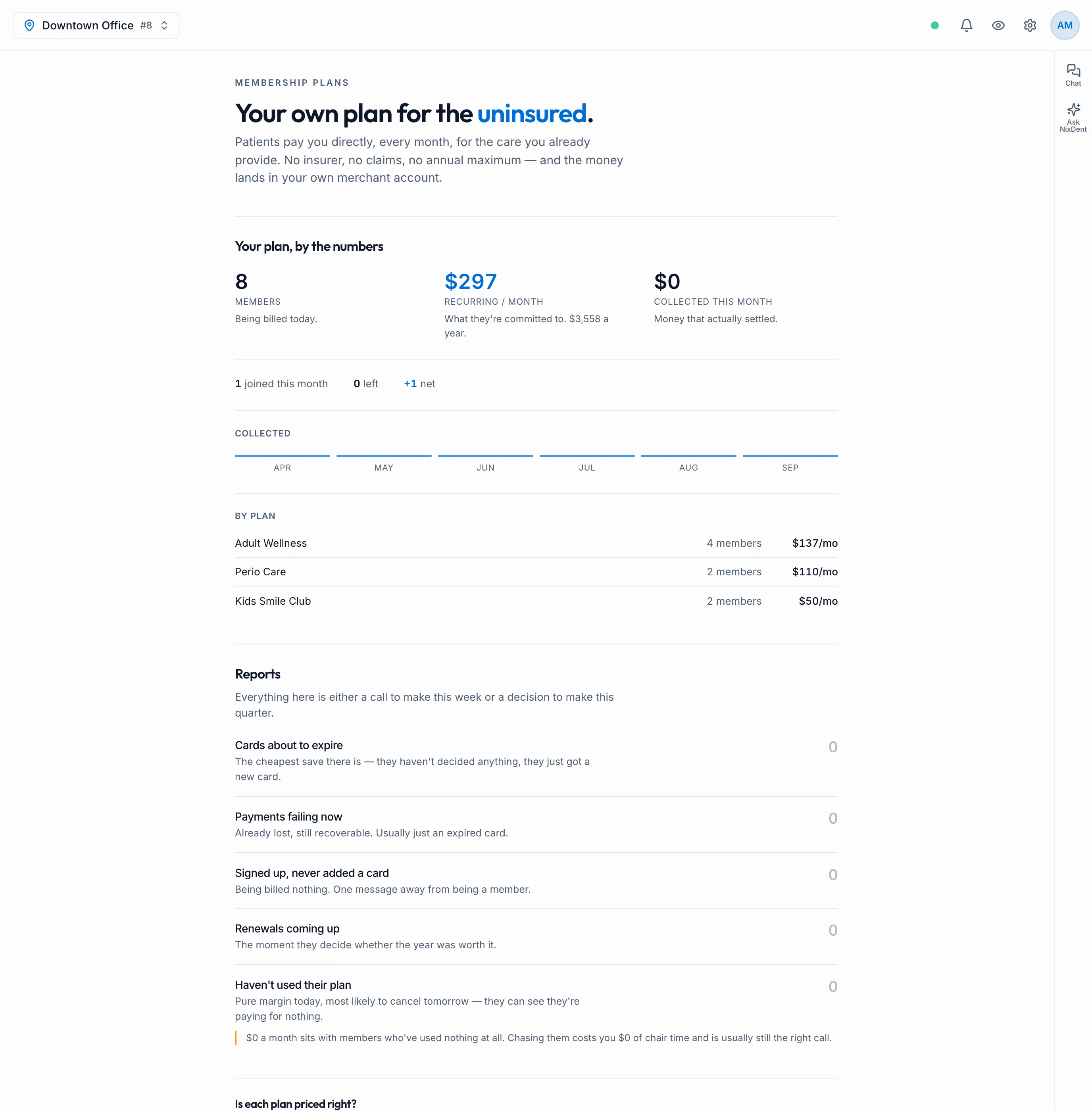
Get from off to live
Section titled “Get from off to live”| Status | What it means |
|---|---|
| Off | Nothing is set up yet. Click Start setting up |
| Setting up | Build and price your plans. Nothing is public and no one can join |
| Live | Patients can join and dues are collected automatically |
| Paused | No new members. Existing members keep their benefits and keep being billed |
| Winding down | No new members. Existing members are billed to the end of their term |
| Suspended | Contact NixDent. Existing members keep their benefits and keep being billed |
- Click Start setting up.
- Build your plans (below) and set up your signup page.
- Read Before you go live and click I understand and accept. Your office, not NixDent, is the sponsor of the plan and is responsible for its terms. Have your attorney review them.
- Click Go live.
When live, you can click Stop taking new members (Paused) or Wind down, and Resume later. The page tells you how many members you have before you do.
If membership plans aren’t available in your office’s state, the page says so and you can’t build plans. If your state has rules worth checking, you’ll see a note suggesting your attorney takes a look.
Build a plan
Section titled “Build a plan”Click New plan. Most offices run three: adult, child and perio.
- Name, Who it’s for (Adult, Child, Perio or Something else) and One line for the signup page.
- How patients pay: Monthly only, Yearly only or Their choice. Enter the price for each, and a Joining fee ($) if you charge one.
- What’s included: for each item, enter How many a year, What (for example “Cleaning”) and what it Usually costs. Click Add something included for more. Filling in the usual cost lets the signup page show patients what the plan is worth.
- Discounts on everything else: a Percent and Off what. Click Add a discount for more.
- When benefits unlock:
- Spread through the year: for example, two cleanings unlock six months apart. This stops someone joining, using everything, and cancelling.
- All available on day one: simpler for patients, and easier to lose money on.
- Your plan terms: your own terms, shown to patients.
- Click Create plan.
Every plan runs for 12 months. If NixDent spots something worth checking about the plan, you’ll see notes after saving. Read them, then click Got it.
Duplicate starts a new plan from an existing one. A child plan is usually an adult plan with a different price.
Change a plan
Section titled “Change a plan”Click Edit on the plan, change it, and click Save changes.
Change what existing members pay shows who it affects, the old and new price, and when each person’s price changes. Each member moves at their own next renewal, with written notice first. Click Give notice, then Yes, send it. Members without an email are listed so you can tell them another way. Call it off cancels the pending change.
Delete plan removes a plan nobody has joined. If anyone is on it, it’s hidden from your signup page instead, and those members keep their benefits and keep being billed.
Your signup page
Section titled “Your signup page”Under Your signup page:
- Enter a Web address (letters, numbers and hyphens), and optionally a Link to your full plan terms.
- Click Save.
- Use Copy to put the link on your website, in reminders and at the front desk.
Before you go live, or while paused, the page tells patients membership isn’t open right now. To see exactly what patients see, read What your patient sees when they join or manage a membership.
In a broadcast, {{membership_link}} fills in your signup link.
Let the AI receptionist offer it: when a caller says they don’t have insurance, the AI mentions the plan once and offers to text them the signup link. It never takes a card or signs anyone up on the phone. You need a web address set first, and the office needs a texting number to send the link. The text comes from your office number and follows the same texting rules. A caller who replied STOP won’t get it.
Bring existing members across
Section titled “Bring existing members across”If you already run a membership plan elsewhere, use Already have members? → Import members (shown once you have at least one plan).
- Paste your export. The first row is the header. It needs
firstName, lastName, dateOfBirth, phone, planName, and can also haveemail, interval, memberSince, renewsOn. Plan names must match your plans in NixDent. - Click Check the file. You’ll see how many will be imported, skipped, or have problems, with each problem row listed.
- Click Import to finish.
Nobody is charged by importing. Each member gets a link to add their card, and billing starts at their existing renewal date. Click Download links (CSV) straight away: the links can’t be shown again. Members who haven’t added a card aren’t billed; use Email them again to remind them.